 |
| image via: http://www.movies-on-ipads.com/tag/download-youtube-to-ipad-2/ |
On the iPad there is a Settings icon, touch that and go there.
 |
| image via: http://www.vpnfortress.com/setup/ipad-vpn-set-up.html |
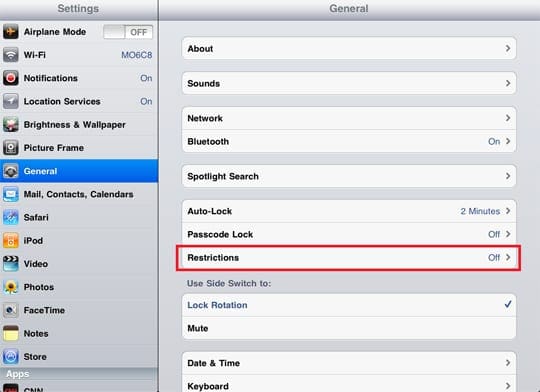
Under General there is the heading Restrictions
 |
| image via: http://appletoolbox.com/2011/12/how-to-setup-parental-controls-on-an-ipad/ |
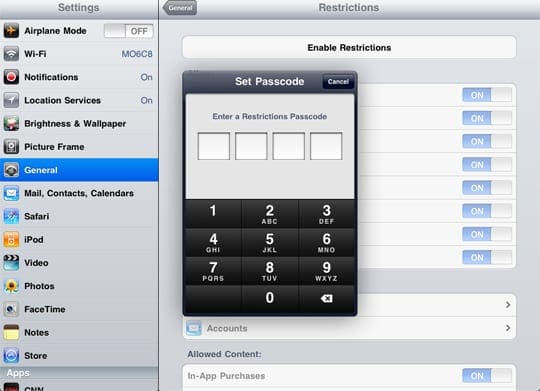
Touch it and Set Passcode, if you haven't already.
 |
| image via: http://appletoolbox.com/2011/12/how-to-setup-parental-controls-on-an-ipad/ |
After you have set the pass code go into Restrictions, enter the code and turn off all functions you don't want your child to have.
We turn off Safari (the Internet), YouTube, Downloading Apps, Deleting Apps and In-App Purchases.
Once you have set those, and exited settings, you can give it to your child and feel pretty safe they are not going to see anything untoward or run up your iTunes bill.
 |
| image via: http://ipod.about.com/od/ipadhowtos/ss/buying-at-ibooks-store_4.htm |
Your iTunes also has a password, make sure to keep BOTH the iTunes password and the Restrictions codes secret from your children. I haven't had to change the iTunes code yet. If they happen to crack your code on the iPad, you will have to go in and change it. You can do that by going back into Restrictions and hitting Disable Restrictions. Then hit the same bar again, only this time it will say Enable Restrictions, put in the new Passcode, go back and turn off the options you don't want.
 |
| image via: http://www.worldstart.com/ipad-restrictions/ |
 |
| image via: http://www.sott.net/articles/show/244744-Parents-Sue-Apple-Over-Children-s-Costly-and-Highly-Addictive-Apps |
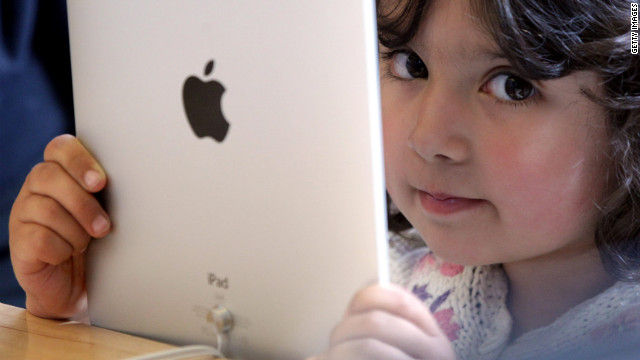
Random Guy can use his after he has finished his homework and has had appropriate behavior. He is now ten and getting very sassy. The possibility of not getting to use his iPad has kept some of that behavior in check.
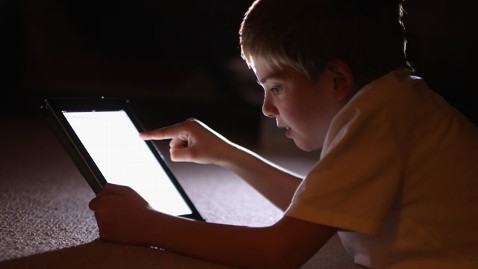
Also there are no iPads an hour before sleep time. They can use it to wind down in the evening, but I take it from them an hour before sleep time. There is some evidence that iPad use interferes with sleep.
 |
| image via: http://abcnews.go.com/blogs/technology/2012/04/parents-sue-apple-for-in-app-and-in-game-purchases-made-by-kids/ |
Apps and in-app purchases are also doled out for good behavior. If Sensi wants a book off her MeeGenius app or Random Guy from his Doctor Who comics platform they have to ask for it and good behavior has to have been followed for that day. Random Guy is also working toward a Minecraft app by getting ready for school in the morning without delay or complaining. We are on week three of trying to earn this app.
Be careful about what apps you load on your child's device. Since you are in control of the app purchases, even free ones, (since you have the iTunes code,) don't let them have any old app they choose. Look at what others have said about the apps you are about to purchase. CommonSenseMedia.org is a good site, there are many others that rate and review apps.
 |
| image via: http://uk.androlib.com/android.screenshot.app.tBiDF-AiqDE.u.aspx |
So there you have the Savvy Advocate Mom iPad basic rules and regulations. Happy e-play.
Sources:
appletoolbox.com/how-to-setup-parental-controls-on-an-ipad
http://www.worldstart.com/ipad-restrictions/
http://www.lrc.rpi.edu/resources/newsroom/pr_story.asp?id=235
